


What is a redirect and when do you use a 301 or 302?
Imagine you've moved a page on your website or changed its URL. Anyone clicking the old link will land on an error page. That's frustrating for your visitors and it hurts your Google rankings. A redirect solves that problem. But which type should you use?
What is a redirect?
A redirect is an instruction to the browser: don't go to this address, go to that one instead. Visitors barely notice it. They click a link and land on the right page automatically. Behind the scenes, the server sends a status code that tells search engines how permanent that redirect is.
The 301: permanent redirect
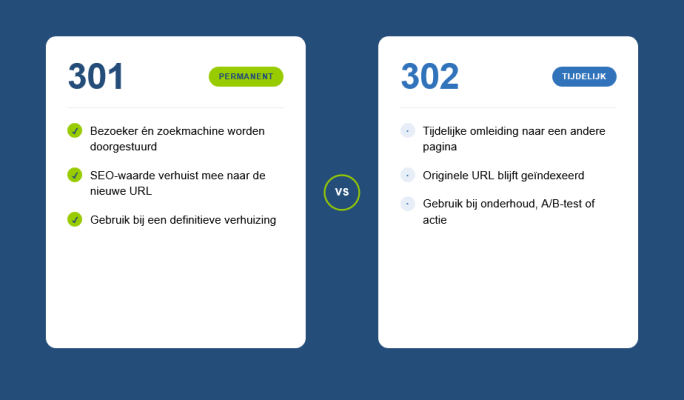
A 301 redirect tells search engines that the move is permanent. The old URL is gone for good and that's not going to change. Google understands this signal well. Most of the SEO value that the old page had built up gets passed on to the new URL. That's exactly why a 301 matters in situations like:
- Merging or moving pages
- Changing your domain name
- Cleaning up old or duplicate URLs
- Switching from HTTP to HTTPS
If you skip the redirect when making these kinds of changes, you lose the SEO value you've built up. That's a shame, especially if you've been working on your search visibility for a while.
The 302: temporary redirect
A 302 redirect signals that the move is temporary. The original URL is still valid, but visitors are being sent somewhere else for now. Google keeps the original URL in its index. This makes sense for situations like:
- A short-term campaign or promotional landing page
- A page that's temporarily down for maintenance
- An A/B test comparing two versions of a page
The risk with a 302 is leaving it in place too long. If you're still redirecting temporarily after a year, Google starts to get confused. Only use a 302 if you genuinely plan to bring the original URL back.
Common mistakes
One thing I come across regularly on existing websites is redirect chains. That means URL A redirects to URL B, which redirects to URL C. Search engines will follow the chain, but it wastes loading time and dilutes SEO value. Clean them up whenever you find them. It fits right in with regular website maintenance.
Another common mistake is redirecting missing pages to the homepage as a quick fix. It might seem harmless, but Google treats this as a soft 404. The page doesn't exist, but you're not giving an honest signal. It's better to redirect visitors to a relevant page, or show a clear and helpful 404 page instead.
How do you set up a redirect?
In Laravel, which I use to build most websites and web applications, redirects are straightforward to configure through the routing layer. You can set up a permanent redirect using redirect()->permanent() or define it directly in the routes file. For other setups, it can be done via an .htaccess file or server configuration. Not sure how this works for your website? Feel free to get in touch and I'll take a look with you.
Quick summary
- Use a 301 when a page has permanently moved or been removed
- Use a 302 only when the redirect is genuinely temporary
- Avoid redirect chains and using the homepage as a fallback destination
- Check your redirects regularly as part of your website maintenance routine
Redirects are a small technical detail, but they have a real impact on user experience and your visibility in search engines. Get them right and it takes very little effort. Get them wrong and it costs you visitors and rankings.
Rather have it done than figure it out yourself?
I help businesses in Groningen, across the Netherlands and abroad with exactly this kind of question. Tell me briefly what you need and you will hear back within one working day.
Continue reading