


Why website speed directly affects your revenue
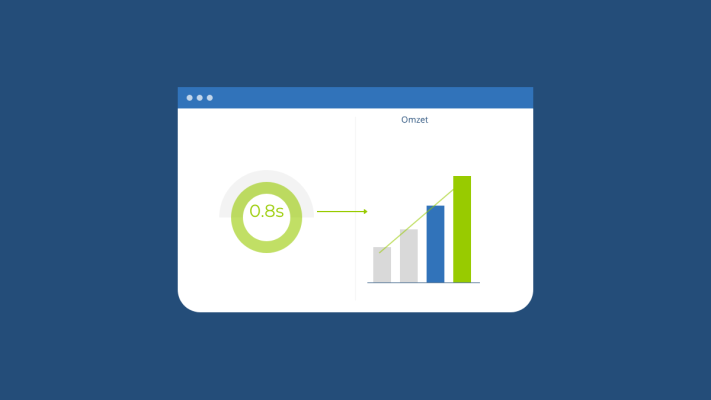
You've got a great website, solid products or services, and yet visitors drop off before they've even seen what you have to offer. Sound familiar? More often than you'd think, the culprit is simply your website's loading time, and that has a direct impact on your revenue.
What do the numbers say?
Google research shows that 53% of mobile users abandon a page if it takes longer than three seconds to load. Three seconds. For an online shop, every additional second of load time translates to roughly a 7% drop in conversions. That might sound small, but over the course of a year, it can add up to a significant amount of lost revenue.
Speed also affects how Google ranks your website. Core Web Vitals, the performance metrics Google uses as ranking signals, take load time into account. So a slow website doesn't just frustrate visitors; it also hurts your visibility in search results.
Why do websites get slow?
There are several common reasons a website underperforms on speed:
- Unoptimised images, large files that haven't been compressed or converted to modern formats like WebP.
- Poor hosting, cheap shared hosting where your site competes for limited server resources.
- Too many plugins or scripts, especially on WordPress sites, plugins accumulate and quietly drag down performance.
- No caching, without caching, every page is rebuilt from scratch on every visit, even when nothing has changed.
- No CDN, a Content Delivery Network serves your website from servers closer to your visitors, reducing load times.
What can you do right now?
The good news is that there are several practical steps you can take to speed things up, some of them today.
1. Test your current speed
Start with free tools like Google PageSpeed Insights or GTmetrix. They'll tell you exactly how fast your site loads and highlight the biggest issues to fix first.
2. Optimise your images
Resize images before uploading and use the WebP format wherever possible. Tools like Squoosh or TinyPNG make this easy, even if you're not technically minded.
3. Upgrade your hosting
Consider switching to a hosting provider that offers SSD storage and dedicated resources. Better hosting is one of the most impactful investments you can make for performance.
4. Enable caching
In a custom Laravel application, caching can be configured efficiently at the server level. On other platforms, caching plugins or modules can help significantly reduce response times.
5. Cut what you don't need
Every unused plugin, script, or font adds weight to your pages. Do a regular audit and remove anything that isn't actively contributing to your website's goals.
When does it make sense to get professional help?
Some performance improvements go beyond simple settings, think server-side rendering, database query optimisation, or implementing smart lazy loading strategies. If you're hitting a wall, or if your website is central to your business revenue, it's worth having an expert take a look. The right technical changes can make a surprisingly big difference.
Website speed is no longer a nice-to-have, it's a baseline requirement for a healthy online presence. And the best part? Many improvements are well within reach without a large budget.
Rather have it done than figure it out yourself?
I help businesses in Groningen, across the Netherlands and abroad with exactly this kind of question. Tell me briefly what you need and you will hear back within one working day.
Continue reading