


How to Set Up Google Business Profile the Right Way as a Small Business
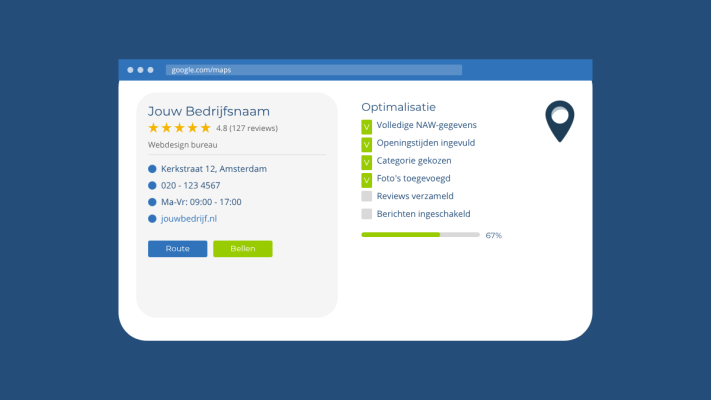
If you run a small business or work as a freelancer, Google Business Profile is one of the most powerful free tools available to you. Still, a lot of business owners leave their profile half-empty or fill it in once and never touch it again. That's a missed opportunity, because a well-maintained profile can directly influence how many people find you through Google Search and Google Maps.
Why Google Business Profile matters
When someone searches for something like "web designer Amsterdam" or "plumber near me", Google often shows a map with three local businesses at the top of the results. That section is called the Local Pack. If your business appears there, people can call you, get directions, or read your reviews without ever visiting your website. That kind of visibility is valuable.
Step 1: claim and verify your profile
Go to google.com/business and search for your business name. If it already exists, claim it. If not, create it. Verification usually happens via a postcard that Google sends to your business address. It takes a few days, but it is necessary. Without verification, you have limited control over your profile and it may not show up properly in search results.
Step 2: fill everything in completely
An incomplete profile does not inspire confidence. Make sure the following information is accurate and complete:
- Your business name, exactly as you use it everywhere else
- Your address or service area if you do not have a physical location
- Your phone number and website URL
- Your opening hours, including exceptions for public holidays
- The category that best describes what you do
The category matters more than most people realize. Google uses it to decide which searches your business is relevant for. Choose the most specific category that fits your work, and add a secondary category if needed.
Step 3: add photos
Businesses with photos tend to get more clicks than those without. You do not need a professional photographer. A few clear images of your workspace, your work, or yourself are enough. Start with a profile photo and a cover photo, then add new ones occasionally to keep your profile looking current.
Step 4: collect reviews and respond to them
Reviews influence a lot of purchasing decisions. Ask satisfied clients to leave a review, and make it easy for them by sending a direct link to your review page. You can find that link in your profile under the option to request reviews.
Always respond to reviews, whether they are positive or critical. A short, friendly response shows that you are engaged. When a review is negative, stay calm and professional. How you handle criticism says a lot about how you run your business.
Step 5: post updates and use the messaging feature
Your profile lets you publish posts, similar to a short social media update. Share a new service, a project you completed, or any relevant news about your business. Google tends to favour active profiles, and it shows potential customers that your business is alive and running.
Keep it up to date
Setting up your profile is not a one-time task. Check every few months that your information is still accurate, add new photos when you can, and keep responding to reviews. It might take ten minutes a month, but the impact on your local visibility is well worth the effort.
Rather have it done than figure it out yourself?
I help businesses in Groningen, across the Netherlands and abroad with exactly this kind of question. Tell me briefly what you need and you will hear back within one working day.
Continue reading