


What is a sitemap and why does it help Google understand your website?
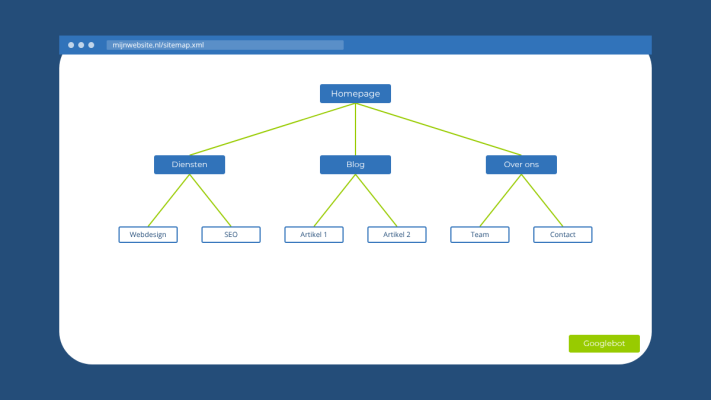
If you have been working on getting your website found online, you have probably come across the term sitemap at some point. It sounds more technical than it actually is. Let me break down what a sitemap is, what it does for you and how to get started with one.
So what exactly is a sitemap?
A sitemap is a file that lists all the pages on your website. It is meant for search engines like Google, not your visitors. Think of it as handing Google a map of your website so it knows exactly what is on there and where to find it.
There are two types. An XML sitemap is the technical version you submit to Google via Google Search Console. An HTML sitemap lives on your website and is more useful for visitors trying to navigate your content. When people talk about sitemaps in the context of SEO, they almost always mean the XML version.
Why does a sitemap matter?
Google discovers pages on the web by following links. Its crawlers jump from link to link to find new content. If a page has no links pointing to it from anywhere, Google can easily miss it. A sitemap solves that problem by giving Google a direct list of every page you want indexed.
This is especially useful for larger websites like webshops with hundreds of product pages. But even smaller sites benefit from having one, particularly when you are just starting out and do not yet have many external links pointing to your site.
What goes in a sitemap?
An XML sitemap contains your page URLs. You can also include optional information like when a page was last updated or how it ranks in importance compared to other pages on your site. Google does not require this, but it can help provide a bit of extra context.
You do not need to include every page in your sitemap. Pages like thank-you pages after form submissions or login screens are better kept out. You can block those using your robots.txt file instead.
How do you create one?
If your website runs on WordPress, plugins like Yoast SEO or Rank Math handle this for you automatically. If you are working with a custom-built Laravel website, you can use a package like spatie/laravel-sitemap to generate one based on your routes or a custom list of URLs. It is well-maintained and straightforward to set up.
Once your sitemap is ready, submit it through Google Search Console under the Sitemaps section. Google will confirm whether the file was read correctly and show you how many URLs were found.
A sitemap within your broader SEO strategy
A sitemap is not a magic fix. It will not instantly push you to the top of Google. What it does is help Google crawl your site faster and more completely, which is a solid technical foundation for everything else you do in SEO.
Combined with fast load times, quality content and a well-built website, a sitemap genuinely makes a difference. If you are building up your online presence step by step, adding a sitemap is one of those technical boxes you really should tick early on.
Not sure whether your website is technically in good shape? Feel free to get in touch. I am happy to take a look with you.
Rather have it done than figure it out yourself?
I help businesses in Groningen, across the Netherlands and abroad with exactly this kind of question. Tell me briefly what you need and you will hear back within one working day.
Continue reading