


Google Analytics 4: understand who visits your website
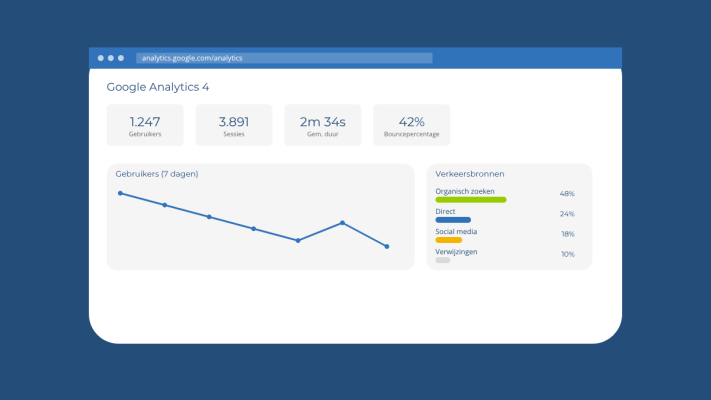
You have a website, maybe even an online store, and you want to know if it is actually doing anything. Are people visiting? Are they reading your pages? Are they dropping off at checkout? Google Analytics 4, or GA4, answers all of those questions. But the dashboard looks pretty intimidating the first time you log in. The good news is that you only need a small part of it to start learning a lot.
Why GA4 feels different from the old Analytics
If you used Google Analytics before, you probably noticed that GA4 feels quite different. That is because it is. The old system was built around sessions and page views. GA4 is built around events. Every click, scroll, purchase or form submission is an event. That sounds technical, but in practice it means you can see far more precisely what visitors are doing on your website.
Start with these three reports
You do not need to understand everything to get started. In the beginning, focus on these three sections:
- Realtime report: This shows you who is on your website right now. Useful to check after publishing something new or sending out an email. We wrote earlier about using newsletters to bring visitors back, and this report lets you see live whether that is working.
- User overview: Here you can see how many visitors you had in a given period, how long they stayed and what percentage left quickly. That last metric is called the engaged session rate in GA4, which is essentially the opposite of the old bounce rate.
- Traffic sources: This tells you where your visitors are coming from. Are they finding you through Google, arriving from social media or typing your address directly into their browser? This helps you decide where to focus your energy.
What does the data say about your pages?
Through the Pages and screens report, you can see exactly which pages are viewed the most. Is your contact page near the top but you are not getting many enquiries? Something is off on that page. Maybe the form is unclear, or the page loads too slowly. We have covered website speed and its impact on results before, and GA4 can help you confirm whether that is an issue on your site too.
Setting up conversions is easier than you think
A conversion is an action you care about, such as a contact form being submitted, a purchase being made or someone clicking your phone number. In GA4 you can mark certain events as conversions. After that, your dashboard shows you exactly how often that action happens and which visitors are taking it. This gives you insight that goes well beyond simply counting visitors.
How often should you check it?
You do not need to look at your Analytics every day. For most small business owners, once a week is more than enough. Check how your traffic is doing, which pages are performing well and whether your conversions are going up or down. That is already enough information to make useful decisions.
Need help setting up GA4, or want to know which data matters most for your specific situation? Feel free to get in touch. If your website does not have Analytics set up yet, we can help you get that sorted too.
Rather have it done than figure it out yourself?
I help businesses in Groningen, across the Netherlands and abroad with exactly this kind of question. Tell me briefly what you need and you will hear back within one working day.
Continue reading