


What is caching and how does it make your website faster?
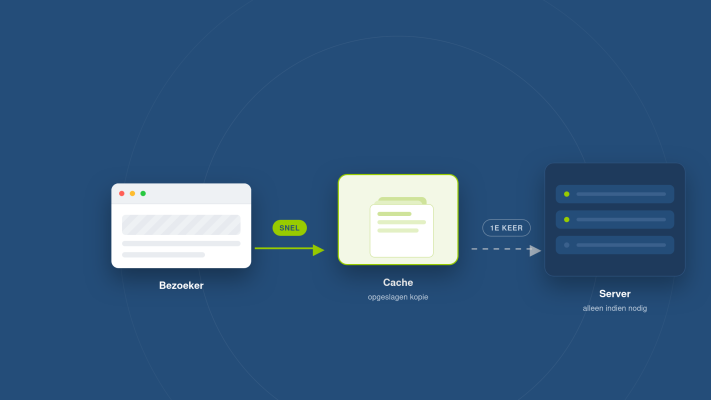
You've probably heard the term caching before, but what does it actually mean and why does it make such a difference to how fast your website loads? Let me break it down in plain language.
So what exactly is caching?
Every time someone visits your website, the server has to fetch data, build the page and send it to the visitor's browser. That takes time. Caching is a technique where a copy of that built page or data is stored temporarily, so the next time someone visits, the server doesn't have to do all that work again from scratch. The result is a noticeably faster website.
Think of it like a baker who prepares loaves in the morning and sells them throughout the day. Instead of baking each loaf fresh to order, the bread is already sitting in the display case, ready to go. Caching works the same way for your website.
The different types of caching
There are several forms of caching, each working at a different point in the process:
- Browser caching: The visitor's browser stores files like images, fonts and stylesheets locally. On their next visit, those files don't need to be downloaded again.
- Server-side caching: The server stores the generated HTML of a page so it doesn't have to query the database and rebuild the page every single time someone visits.
- CDN caching: A Content Delivery Network stores your website's files on servers around the world. Visitors receive files from the server closest to them, which reduces load times further.
- Database caching: Frequently used database queries are stored temporarily, so the database isn't put under heavy load with every request.
Why does caching matter for your website?
A fast website isn't just a better experience for visitors, it also has a direct impact on how well you rank in Google. If you want to understand how site speed affects your bottom line, check out my earlier post on why website speed directly affects your revenue. And if you want to know what technical scores Google assigns to your site, my post on Core Web Vitals is worth a read.
In short: the faster your site loads, the longer visitors stay, the more trust you build and the better your search visibility becomes.
How I handle caching in my projects
The websites and webshops I build with Laravel and React have caching built in from the start. Laravel has a powerful caching system that lets me cache database results, routes and rendered views. That means your website stays fast even when multiple visitors are browsing at the same time.
I always tailor caching to the specific project. A webshop has different caching needs than a portfolio or business website, because product pages change more often and the cache needs to be refreshed more frequently to reflect that.
Practical tips if you already have a website
- Check whether your hosting plan supports caching. Not all plans include this by default. You can read more about choosing the right hosting in my post on picking the right hosting package.
- Use a tool like Google PageSpeed Insights to see how your website scores on speed and whether caching is properly configured.
- Enable browser caching through your server settings, or via a plugin if you're using WordPress.
- Consider a CDN if your visitors come from different regions or countries.
Got questions about your website's speed, or curious about what I can do for you? Take a look at my services or get in touch. I'm happy to think along with you.
Rather have it done than figure it out yourself?
I help businesses in Groningen, across the Netherlands and abroad with exactly this kind of question. Tell me briefly what you need and you will hear back within one working day.
Continue reading